
Find anything you ever copied.
Type a word and everything else steps aside. Scroll back through all of it, side by side.
The clipboard manager for your Mac
Copy text, images, links and files as you work. Find them later and paste straight into the app you’re using.
Launch offer · Save $20*
Regular price $49$29.99USD · pay once
No subscription. 14-day money-back guarantee.
macOS 14+ · Apple silicon · iPhone coming soon

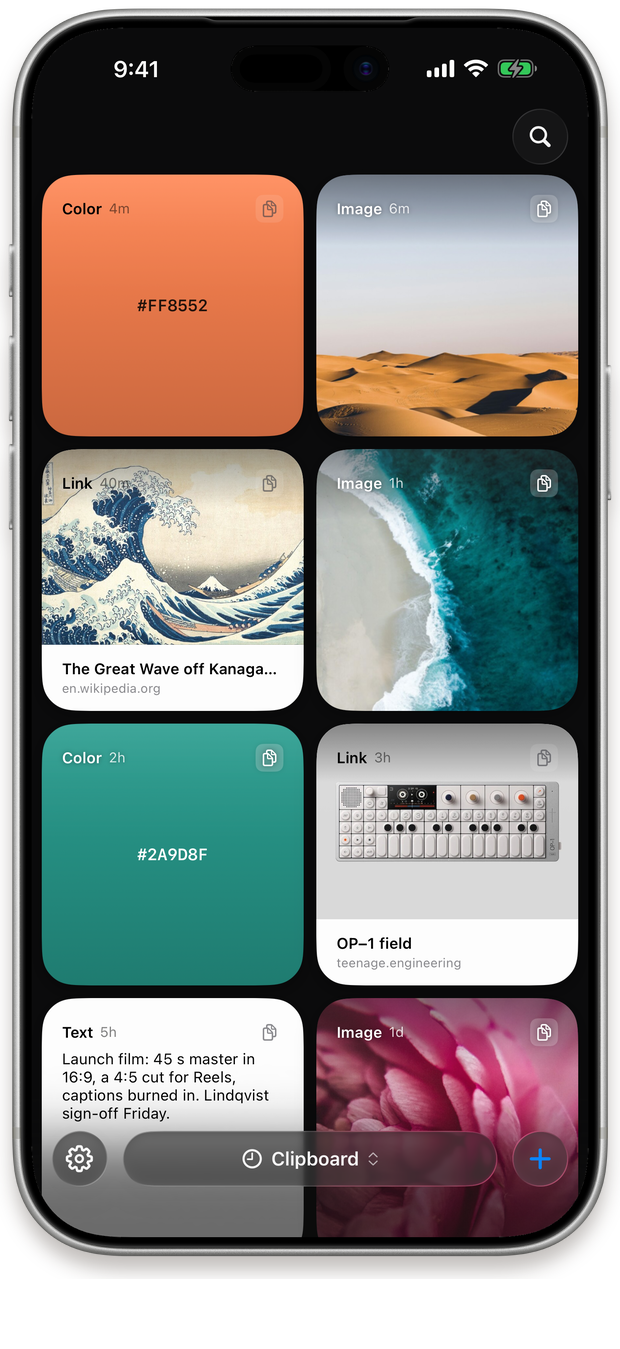
Every kind of copy
A color shows up as the color. A link brings its picture. A contact is a name and a face. Sixteen kinds, each drawn as what it is.


“The best interface is the one you never have to think about.”

Tracking 1Z 999 AA1 01 2345 6784





let hotkey = "⌘⇧V"

withAnimation(.snappy) {
  tray.open(rows: 1)
}

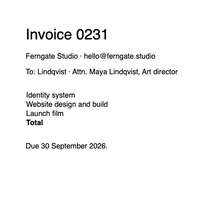
paste(clips.first)Two things from this morning: the palette, and the hero photo.

# ship it
xcodegen generate
./build.sh --release

# then notarize
xcrun notarytool submit

# ship it
xcodegen generate
./build.sh --release

# then notarize
xcrun notarytool submit
“The best interface is the one you never have to think about.”
:root {
  --accent: #A99B87;
  --ink: #0A0A0A;
}

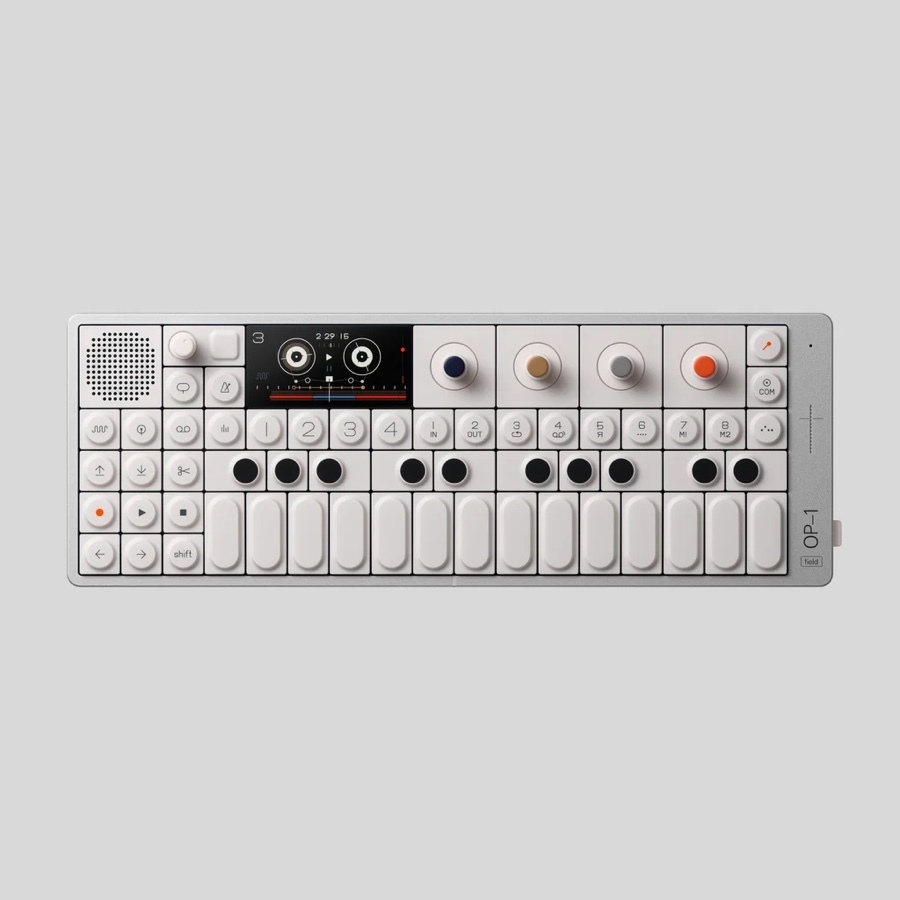
.btn { border-radius: 20px }Launch checklist — palette, hero photo, Q3 invoice, deck.
Booking K7P2QX · LIS → MXP · Fri 26 Sep 07:40

let hotkey = "⌘⇧V"

withAnimation(.snappy) {
  tray.open(rows: 1)
}

paste(clips.first)How it works
A clipboard manager with nothing to learn and nothing to open. Copy like you always have, and it’s kept.
Press ⌘C. Nothing opens, nothing flashes. It’s already kept.
Move your pointer to the top of the screen. Everything you’ve copied drops open.
Double-click a card and it lands where you were typing. Or press its number. Or drag it anywhere.
The real app, recorded on a MacBook. Above, a campaign brief collected in JustCopy. Below, its copy and photography reused in Keynote with a double-click, ⌘2, and a drag.
Why now
Working with AI is mostly moving text around.
In, out, all day long.
Keep the useful parts within reach.
#A99B87

 ML
Maya Lindqvist
Ferngate Studio
ML
Maya Lindqvist
Ferngate Studio
Actual size. The tray opens above the menu bar, over whatever you’re doing.
The copying was never the work. Going back to find it was.
Without it
Writing
Two things to bring back. Two round trips.
With Just Copy
Writing
One trip. Both wait on the tray until you need them.
The tray drops over whatever you’re doing.
Your cursor stays in the sentence you were writing.
Press Return, and it’s back in your sentence.
It reads how your pointer moves, so the tray opens when you mean it to. Never by accident.
What it does
Everything a clipboard manager should do. Search it, preview it, fix it, paste it, without leaving what you’re doing.
Type a word and everything else steps aside. Scroll back through all of it, side by side.
Every screenshot you copy is kept as a card. Built-in OCR reads the words inside, so type one and the picture that says it comes up. Search recent copies in the tray; open History for everything.
Press Space. A link opens as the page itself, a photo full size, code in color. The same Quick Look you know from Finder.
Fix the typo, swap the color, then paste. Right there on the card.
Start a Paste Stack, copy a few things, and each ⌘V pastes the next one, in order.
⌘1 to ⌘9 with the tray open. ⌃⌥1 to 9 without it. No reaching, no looking.
Give a smart folder a rule, like every screenshot, every link or anything copied from Figma, and it fills itself as you copy. Or tell any folder to collect, and everything you copy lands in it until you say stop.
Light cards or dark. A tray you can see through, or one you can’t. And where it lives.
Three across or six. One row, or two that scroll down.
Don’t want the tray at the top of your screen? Let it float above your Dock instead, and open it with a shortcut. No notch? Reach for the top all the same. Apple silicon, macOS 14 or later.

A folder for your colors. One for your snippets. One for the client. Heavy photos, long videos, days of code, and it keeps up.
And more
 Claude
 Cursor
 Codex
Codex Terminal
Connect Claude, Cursor or Codex once, over MCP, and they can search what you’ve copied, read a screenshot, or pull a whole folder in one go. The connection runs locally; your assistant handles what you share.
Find the three links I copied this morning and draft the client update from them.
In Settings, under AI. Just Copy runs a small MCP server on your Mac, and it stays off until you do.
One click adds Just Copy to Claude, Cursor or Codex, over MCP. Terminal gets the same through the justcopy command.
Your tools search, read and pull from your history. Read-only, unless you let them add cards.
No AI tools? Copy for AI turns the same context into text you can paste into any chat.
Your iPhone too
iPhone app coming soon
Copy on your iPhone, then open Just Copy to save your latest copy. Turn on Collect Screenshots, and your new screenshots are saved too. Sync saved cards to your Mac through iCloud, and use the Just Copy keyboard to paste text into other apps. Included with your Mac purchase when it launches.
Submitted to Apple for approval. Not yet available on the App Store.

Turn on iCloud sync to share saved text, images and links between your devices. Save a copy in the iPhone app first; it doesn’t collect clipboard history in the background. Changes made offline sync when you reconnect.
Privacy
Your history is stored on your Mac. Optional iCloud sync uses your own Apple account. We don’t receive your clipboard history.
Link and map previews use the network and can be turned off. Update and license checks don’t send your copies. If you share context with an AI assistant, its provider handles what you share. See the privacy policy for details.
In their words
Real people, real quotes, with names and what they do. Nothing invented, nothing paraphrased.
Price

Just Copy
Everything in Just Copy. One purchase, yours to keep.
Launch offer · Save $20*
$29.99Regular price $49
USD · one payment. $49 after launch.
14-day money-back guarantee.
Requires macOS 14 or later and an Apple silicon Mac. Works with or without a notch.
*Savings rounded. Actual saving: $19.01 versus the $49 regular price.
Questions
Every Mac feature, every 1.x update, and the iPhone app when it launches. You pay once and keep the version you buy, with no subscription. The launch price is $29.99 USD; the regular price after launch is $49.
There’s no free trial. Your purchase comes with a 14-day money-back guarantee. If Just Copy isn’t for you, email hello@justcopy.app within 14 days of purchase for a full refund.
Just Copy requires an Apple silicon Mac (M1 or later) running macOS 14 or later. A notch is optional: on a display without one, reach for the top-center of the screen to open the same tray. Intel Macs aren’t supported.
Coming soon. It has been submitted to Apple for approval and isn’t available on the App Store yet. It’s included with your Mac purchase when it launches, with no second purchase needed. Optional sync uses your own iCloud account.
Spotlight includes clipboard history on macOS Tahoe and later. Just Copy adds a visual tray you can reach from the top of your screen, search inside screenshots, folders, Paste Stack and optional AI access. You also control how long your history is kept.
On your Mac, with no Just Copy account required. Optional iCloud sync uses your own Apple account. You can exclude apps from capture, and content that an app marks as secret is skipped by default. See our privacy policy for details on previews, sync and AI sharing.
To paste a selected card back into the app you were using. Without this permission, you can still copy a card and paste it yourself with ⌘V. Paste Stack also needs Accessibility to paste your copies in order.
Yes. Enable the connection in Settings → AI and connect your assistant to search your history and use copies as context. It’s off by default and read-only unless you allow tools to add cards. Your assistant’s provider handles anything it reads. You can also use Copy for AI to paste context into any chat.
The clipboard manager that keeps everything you copy and shows it as what it is. Pay once for Mac, with the iPhone app included when it launches.
Regular price $49 $29.99 at launch · Save $20*
For Mac now. iPhone app coming soon.
